Overview
We’ve enhanced how Calendly appointment reschedules are handled inside the platform to create a more consistent scheduling and automation experience.
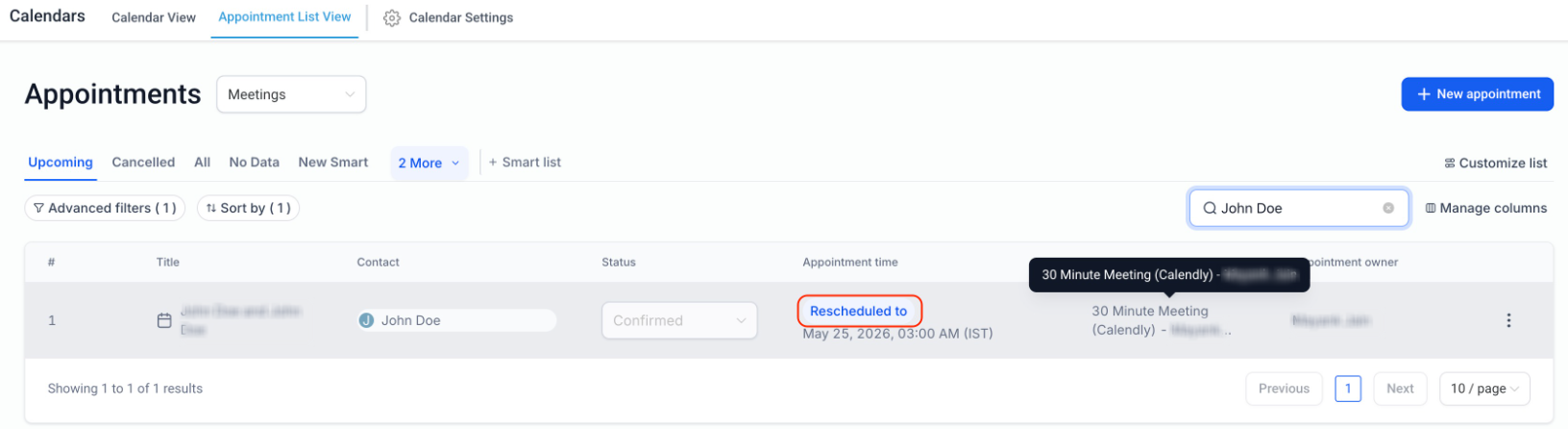
With this update, Calendly reschedules now behave the same way as native appointment reschedules, ensuring reschedule-based workflows, tags, and tracking work seamlessly across the platform.
What’s New
- Calendly reschedules are now treated as true appointment reschedules in the platform.
- Existing appointments are updated instead of recreated.
- Rescheduled appointments are correctly marked as Rescheduled.
- Reschedule-based automations and conditions now work consistently for Calendly appointments.
How It Works
When an appointment is rescheduled in Calendly:
- The existing appointment is updated with the new date/time
- The appointment is marked as Rescheduled
- Previous appointment date/time is preserved for tracking
- Rescheduled tags and workflow conditions are applied correctly
- Workflows using the Rescheduled = True filter will now also work for Calendly reschedules.
Why This Matters
- Creates a more consistent scheduling experience across Calendly and the platform.
- Improves reliability for reschedule-based workflows and automations.
- Enhances appointment tracking and accuracy.
Was this article helpful?
That’s Great!
Thank you for your feedback
Sorry! We couldn't be helpful
Thank you for your feedback
Feedback sent
We appreciate your effort and will try to fix the article