Long forms just got a whole lot friendlier! With the new Save Progress feature, respondents can safely leave a multi-step Form, Survey, or Quiz and return later to continue where they left off. Simply enable the feature with a toggle, and we'll take care of the rest.
What's New
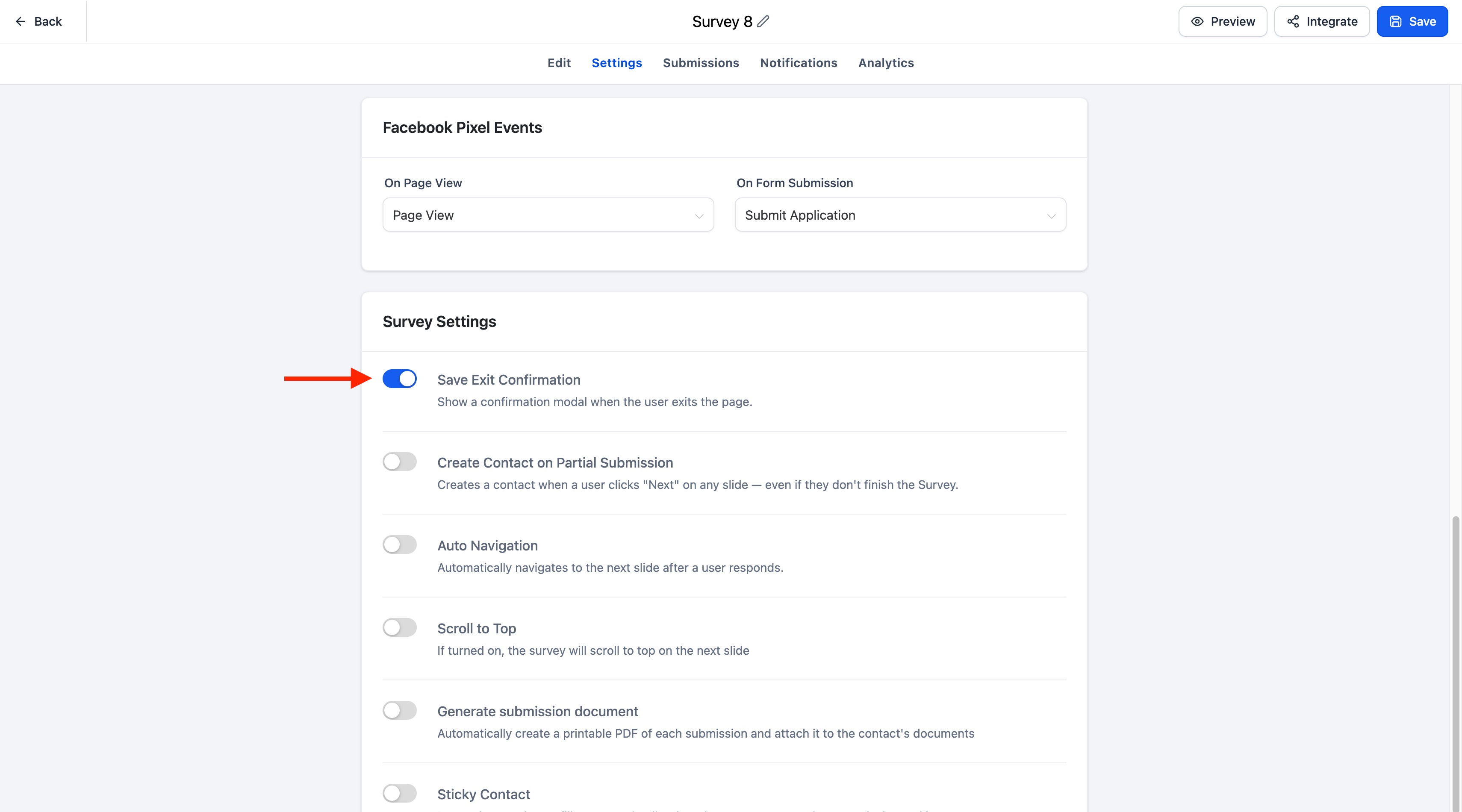
A new Save exit confirmation toggle is now available in the Settings tab for:
- Forms
- Surveys
- Quizzes
When enabled, respondents' progress is automatically saved if they leave before submitting, allowing them to seamlessly resume their submission later.
Key Highlights
- Automatically saves progress for multi-step Forms, Surveys, and Quizzes
- Easily enable or disable the feature using the Save exit confirmation toggle
- Respondents can return later and continue where they left off
- A resume modal allows respondents to choose between continuing or starting over
- The Resume Progress modal automatically matches your Form, Survey, or Quiz branding:
- CTA button color inherits the configured footer color
- Text font matches the configured label font
- Fully supported across desktop and mobile experiences
How It Works
- Open the Settings tab for your Form, Survey, or Quiz.
- Enable the Save exit confirmation toggle
- Respondents begin filling out a multi-step Form, Survey, or Quiz.
- If they close the browser, refresh the page, or navigate away before submitting, their progress is automatically saved.
- When they return to the same Form, Survey, or Quiz, a Resume Progress modal appears, allowing them to:
- Continue from where they left off, or
- Start Over with a new submission
Notes
- Save Progress is available for multi-step Forms, Surveys, and Quizzes.
- The feature is controlled using the Save exit confirmation toggle in the Settings tab.
- Progress is automatically saved only when the feature is enabled.
- The Resume Progress modal is automatically styled to match your Form, Survey, or Quiz branding.
- Existing Forms, Surveys, and Quizzes remain unchanged until the feature is explicitly enabled.
Was this article helpful?
That’s Great!
Thank you for your feedback
Sorry! We couldn't be helpful
Thank you for your feedback
Feedback sent
We appreciate your effort and will try to fix the article